Talk. It writes the note.
ThinkAloud turns spoken thoughts, photos, and long recordings into clean Markdown notes — with AI that runs entirely on your device.
No cloud processing. No subscription. No account. Your notes are plain files in a folder you control, and the model that writes them never sees the internet.
On Android, get it from Google Play; on iPhone & iPad, from the App Store. The Windows installer (10/11 64-bit, ~92 MB) and macOS app (10.15+ universal, ~97 MB) are direct downloads you install yourself.
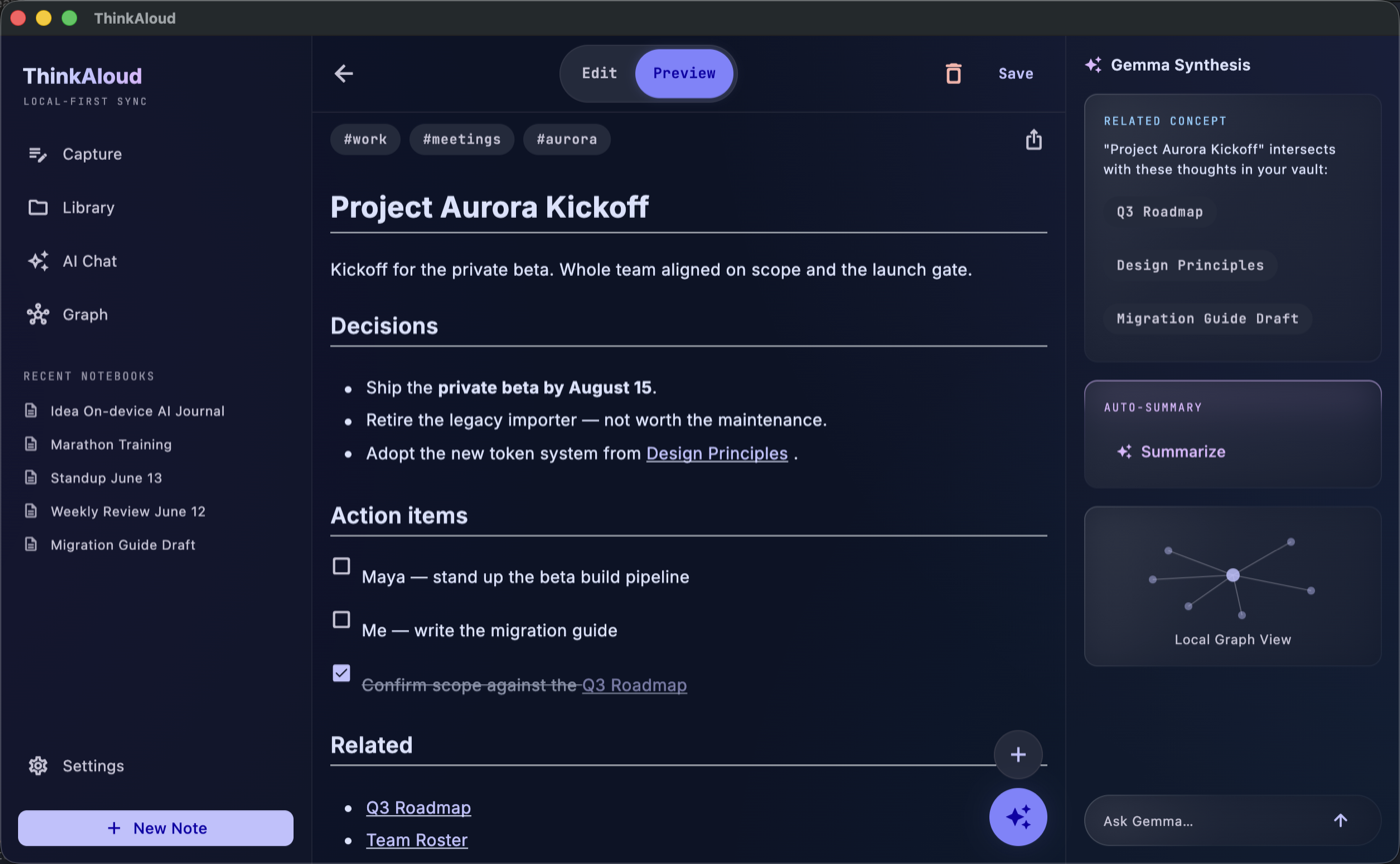
From rambling to readable in three steps
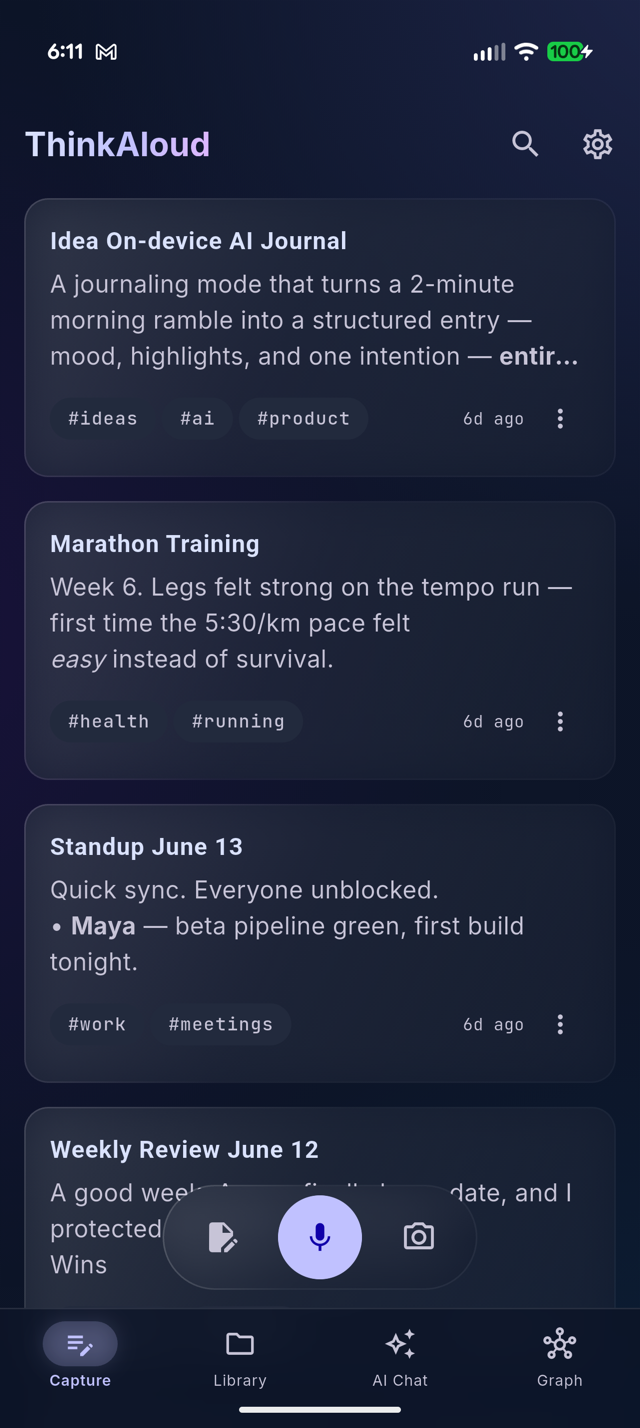
Record anything
A ten-second thought, a whiteboard photo, or a two-hour lecture. Pick a note style first — Journal, Meeting, Idea, or your own.
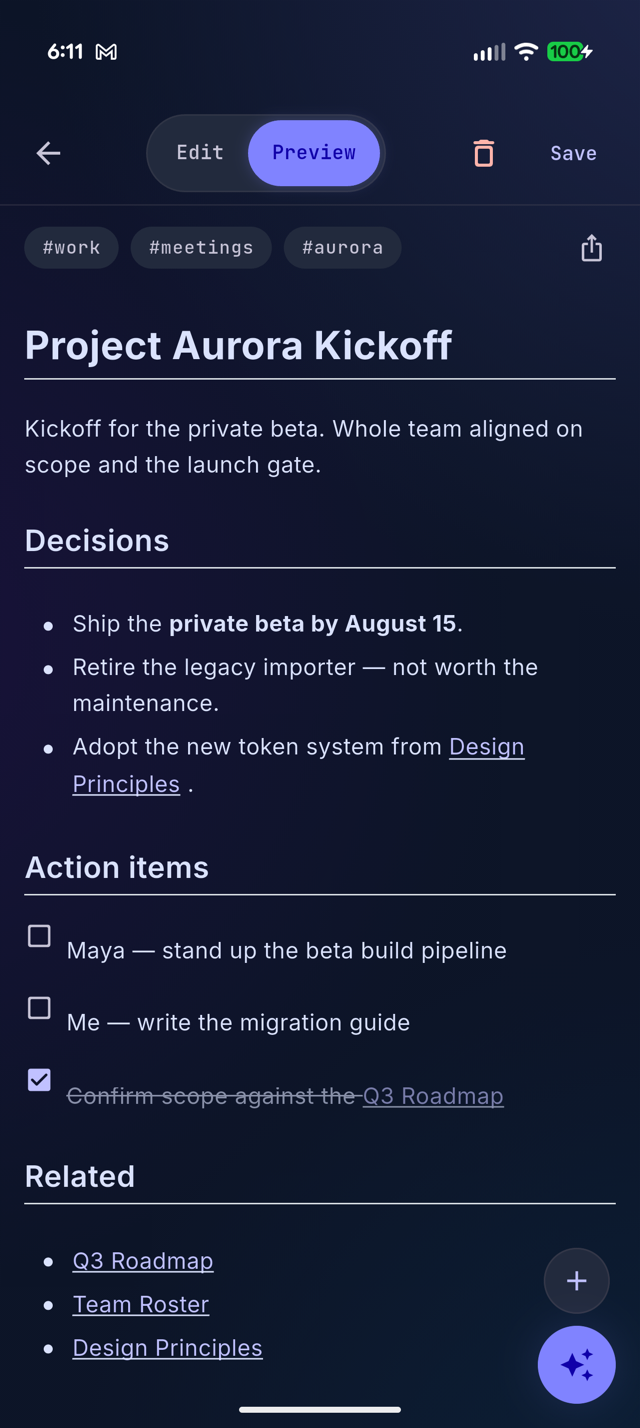
The AI writes — on your device
A dedicated speech model — NVIDIA Parakeet, running locally — transcribes it fast, speaker labels included; Google's Gemma structures it: a real title, topic tags, headings, checklists where they belong.
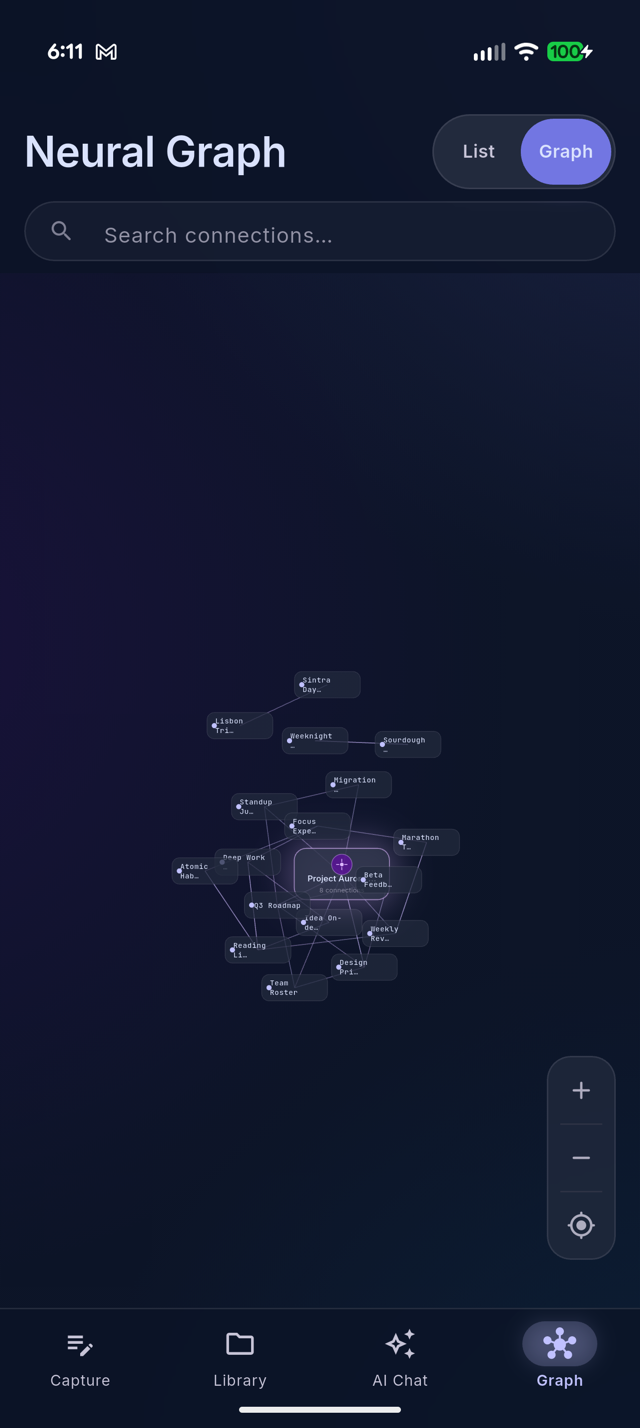
It files itself
The note lands as plain Markdown in your vault and links itself to the related notes you already have. The graph grows on its own.
A complete thinking tool, not just a recorder
Voice-first capture
Short thoughts or hour-long lectures both come out as structured notes in your chosen style — and you review every take before the AI writes, so a bad recording costs nothing. Long recordings keep a timestamped transcript and the original audio.
Ask your vault
Question your own notes conversationally — by typing or speaking. Answers cite their sources: tap a chip to open the note an answer came from.
Photos become notes
Point the camera at a whiteboard, a document, or a slide and get a written, searchable note.
Plain files, your folder
Notes are Markdown in an Obsidian-compatible vault. Open them with any editor, point the app at an existing vault, or let it manage its own.
Notes that find each other
Every capture is linked to the related notes you already have — exact-title wikilinks the app verifies, never invented ones. That's what builds the knowledge graph.
Sync to your cloud, optionally
Google Drive or iCloud — strictly your account, in a private folder the app created. We run no servers at all.
See every feature with screenshots →
Private by architecture
No analytics. No telemetry. No ads. No accounts. The developer operates no servers and receives no user data — there is nothing to leak, sell, or subpoena. Read the privacy policy.
What's new in 1.1.1
Everything still runs 100% on your device — your notes and audio never leave it.
- Live transcription when adding to a note — recording into an existing note now shows your words as you speak, and the take is merged faster because it's already transcribed by the time you stop.
- Silent recordings stay silent — an empty or silent take no longer turns into a made-up note; ThinkAloud says nothing was heard instead of letting the AI guess.
- Hardened on-device AI — recordings, shared text, and note content are sanitized before they reach the model, so content that tries to give it instructions is captured as text — never obeyed.
- Fewer accidental discards — cancelling a recording you're adding to a note now asks for confirmation first.
- From 1.1.0: much faster transcription by default — a dedicated on-device speech model (NVIDIA Parakeet) with speaker labels, and no more 1-minute cap when adding a recording to a note.
Buy me a coffee
ThinkAloud has no subscriptions, no ads, and no servers to keep running — so there's no donate button either. If it earned a spot on your home screen and our paths ever cross, buy me a coffee in person. That's the whole business model.
Say hello →